
If you purchased a offline DJI Terra license, follow the steps in this guide to activate: Activating and Using DJI Terra Offline License
For any other DJI Terra License, please follow these steps:
1. Install and Launch DJI Terra
2. Login or register if you don't already have an account
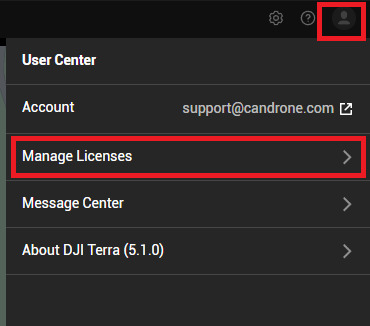
3. Click on the User Icon in the top right of the screen, click on Manage Licences, then click on Activate License
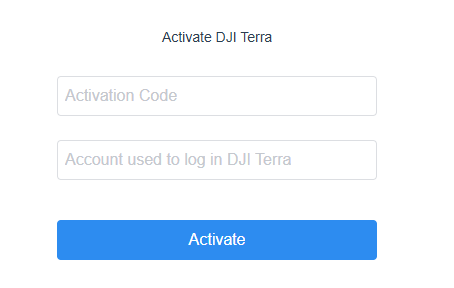
4. A window will open in your internet browser. Enter your Activation Code (found in the packing list) as well as the email address of your DJI account and click Activate
5. Go back to DJI Terra. Click on the User Icon, click on Manage Licenses, and you should see the license show up in the list now.
Note: You may need to restart DJI Terra, or log out and log back in.
6. Click on the new license and click Bind
You should now have access to DJI Terra features available on your license on the bound computer.
Not working? Reach out to customerservice@candrone.com